
简简单单就好
PHP构建实现高斯模糊处理平台
- 小米这澎湃OS,壁纸设置模糊,居然是高强度模糊,连强度都不给设置下,太拉了,相册里也没有单独高斯模糊的选项。
- 之前锤子手机设置壁纸的模糊强度我很喜欢,适中,但现在一看小米连这么简单的功能都不做好,怎么越做越倒退了。
- 既然系统设置不了,那我上浏览器找平台模糊下吧,这澎湃,居然只给调用系统相册,调用系统相册就算了,还是不完整的系统相册,只显示相机(DCIM),截图(Screenshot)和下载内容(Download),这按时间排序,一直划都划不到底,要上传我那壁纸真不容易。
- 好不容易上传了吧,这些平台一个个处理的好慢。
- 后来还是说在大早上打开了PS,一拉一点一拖,心目中完美的高斯模糊就搞好了,就跟这页面一样,简单又快速。
预览地址
http://mxzfun.xyz/GB/fontPage.html
页面展示
PC端
默认页面(未上传图片)
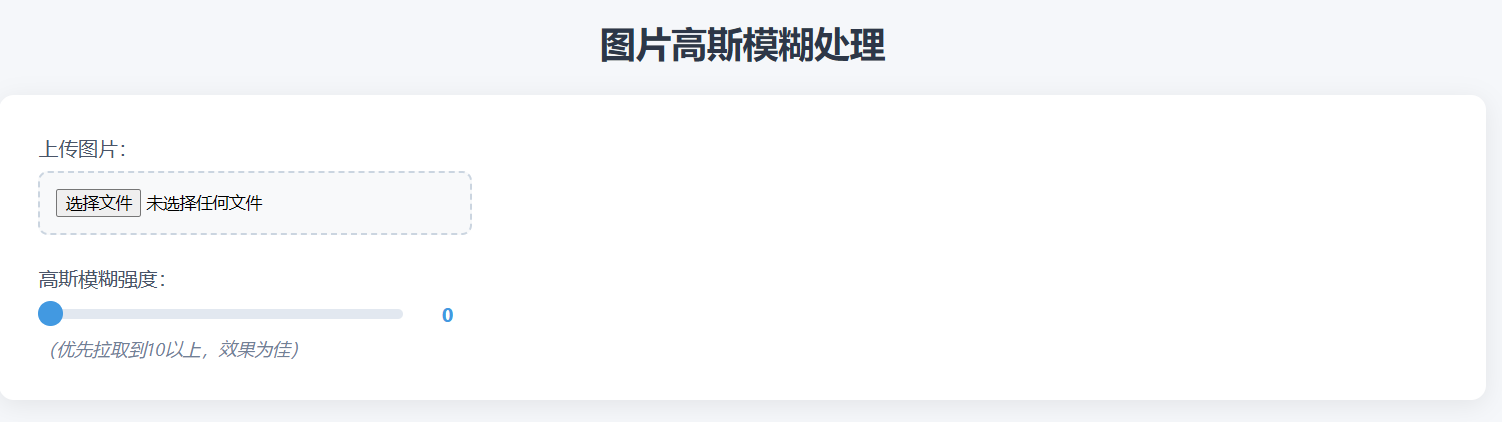
默认页面(已上传图片并对图片进行模糊处理)

移动端
默认页面(未上传图片)
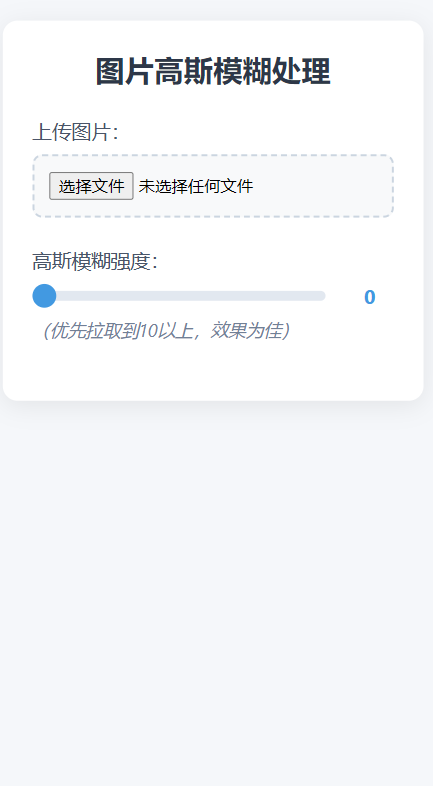
默认页面(已上传图片并对图片进行模糊处理)

项目结构
    fontPage.html # 前端页面
    process_image.php # 后端逻辑(GD 库图像处理函数)
前端页面设计
四个核心模块:
- 图片上传区:通过
input[type="file"]控件接收用户上传的图片,并用FileReaderAPI 将图片转为 DataURL 在页面预览。 - 模糊强度调节:使用 range 滑块控件(
min=0, max=50)让用户直观调整模糊程度,实时显示当前数值,并通过防抖处理(debounce)避免频繁触发后端请求。 - 进度反馈:根据模糊强度预估处理时间(强度越高需要迭代次数越多,耗时越长),模拟进度条动画,让用户感知处理状态。
- 结果展示与下载:处理完成后更新预览图,显示 "渲染完成" 状态,并提供下载按钮,通过
URL.createObjectURL生成临时链接实现图片下载。
后端逻辑实现
- 参数校验:检查是否收到图片文件和模糊强度参数,若缺失则返回 400 错误。
- 图片加载:通过
imagecreatefromstring函数读取上传的图片数据,支持多种常见图片格式(PNG、JPG 等)。 - 高斯模糊处理:这里的关键是将用户输入的模糊强度(0-50)转换为算法迭代次数(
max(1, blur * 2)),通过 GD 库的imagefilter函数重复应用IMG_FILTER_GAUSSIAN_BLUR滤镜,实现可控的模糊效果。 - 响应处理:设置正确的
Content-Type(image/png)和缓存控制头,避免浏览器缓存旧结果,最后输出处理后的图片流并销毁资源。 - 为了应对大图片处理可能出现的超时问题,还通过
set_time_limit(30)将脚本执行时间延长至 30 秒。
项目代码
fontPage.html
<!DOCTYPE html>
<html lang="zh-CN">
<head>
<meta charset="UTF-8">
<meta name="viewport" content="width=device-width, initial-scale=1.0">
<title>图片高斯模糊</title>
<style>
    * {
        margin: 0;
        padding: 0;
        box-sizing: border-box;
        font-family: 'Segoe UI', Tahoma, Geneva, Verdana, sans-serif;
    }

    body {
        background-color: #f5f7fa;
        display: flex;
        flex-direction: column;
        align-items: center;
        padding: 2rem 1rem;
    }

    .container {
        background: #fff;
        border-radius: 12px;
        box-shadow: 0 4px 20px rgba(0,0,0,0.08);
        width: 100%;
        max-width: 1200px;
        padding: 2rem;
        margin-bottom: 2rem;
        display: flex;
        gap: 2rem;
        align-items: flex-start;
    }

    h1 {
        color: #2d3748;
        font-size: 1.8rem;
        margin-bottom: 1.5rem;
        text-align: center;
        width: 100%;
    }

    .control-panel {
        flex: 0 0 350px;
        display: flex;
        flex-direction: column;
        gap: 1.5rem;
    }

    .upload-area {
        display: flex;
        flex-direction: column;
        gap: 0.5rem;
    }

    .upload-label {
        font-size: 1rem;
        color: #4a5568;
    }

    .file-input {
        padding: 0.8rem;
        border: 2px dashed #cbd5e0;
        border-radius: 8px;
        background-color: #f8f9fa;
        cursor: pointer;
        transition: border-color 0.3s;
    }

    .file-input:hover {
        border-color: #4299e1;
    }

    .range-container {
        display: flex;
        flex-direction: column;
        gap: 0.5rem;
    }

    .range-label {
        font-size: 1rem;
        color: #4a5568;
    }

    .range-wrapper {
        display: flex;
        align-items: center;
        gap: 1rem;
    }

    input[type="range"] {
        flex: 1;
        height: 8px;
        background: #e2e8f0;
        border-radius: 4px;
        outline: none;
        -webkit-appearance: none;
    }

    input[type="range"]::-webkit-slider-thumb {
        -webkit-appearance: none;
        width: 20px;
        height: 20px;
        background: #4299e1;
        border-radius: 50%;
        cursor: pointer;
        transition: background 0.3s;
    }

    input[type="range"]::-webkit-slider-thumb:hover {
        background: #38b2ac;
    }

    .range-value {
        font-weight: bold;
        color: #4299e1;
        min-width: 40px;
        text-align: center;
    }

    .hint {
        font-size: 0.9rem;
        color: #718096;
        font-style: italic;
    }

    .progress-container {
        height: 12px;
        background: #e2e8f0;
        border-radius: 6px;
        overflow: hidden;
        display: none;
        position: relative;
    }

    .progress-bar {
        height: 100%;
        background: linear-gradient(90deg, #4299e1, #38b2ac);
        width: 0%;
        transition: width 0.3s ease;
    }

    .progress-text {
        position: absolute;
        top: 50%;
        left: 50%;
        transform: translate(-50%, -50%);
        font-size: 0.8rem;
        color: #fff;
        font-weight: bold;
    }

    #status {
        text-align: center;
        font-weight: bold;
        padding: 0.5rem;
        border-radius: 4px;
        display: none;
    }

    #status.success {
        background-color: #c6f6d5;
        color: #22c55e;
    }

    #status.error {
        background-color: #fed7aa;
        color: #f97316;
    }

    button {
        padding: 0.8rem 1.5rem;
        border: none;
        border-radius: 6px;
        font-size: 1rem;
        font-weight: 600;
        cursor: pointer;
        transition: all 0.3s;
    }

    #downloadBtn {
        background: linear-gradient(90deg, #4299e1, #38b2ac);
        color: #fff;
        display: none;
    }

    #downloadBtn:hover {
        transform: translateY(-2px);
        box-shadow: 0 4px 12px rgba(66, 153, 225, 0.3);
    }

    .preview-panel {
        flex: 1;
        min-width: 300px;
        display: flex;
        justify-content: center;
        align-items: flex-start;
        padding-top: 1rem;
        overflow-y: auto; /* 纵向滚动,防止卡片被撑开 */
    }

    #preview {
        max-width: 100%; /* 宽度跟随容器 */
        height: auto;    /* 高度自动缩放,保证全图显示 */
        border-radius: 8px;
        box-shadow: 0 2px 10px rgba(0,0,0,0.1);
        display: none;
        object-fit: contain; /* 保证比例,完整显示 */
    }

    /* 移动端单列布局 */
    @media (max-width: 768px) {
        .container {
            flex-direction: column;
            padding: 1rem;
        }
        .control-panel {
            flex: none;
            width: 100%;
        }
        .preview-panel {
            width: 100%; /* 宽度等于卡片宽度,避免左右溢出 */
            overflow-x: hidden; /* 禁止横向滚动 */
        }
    }
</style>
</head>
<body>
    <h1>图片高斯模糊处理</h1>

    <div class="container">
        <!-- 左侧操作区 -->
        <div class="control-panel">
            <div class="upload-area">
                <label class="upload-label" for="imageUpload">上传图片:</label>
                <input type="file" id="imageUpload" accept="image/*" class="file-input">
            </div>

            <div class="range-container">
                <label class="range-label" for="blurRange">高斯模糊强度:</label>
                <div class="range-wrapper">
                    <input type="range" id="blurRange" min="0" max="50" value="0">
                    <span id="blurValue" class="range-value">0</span>
                </div>
                <div class="hint">(优先拉取到10以上,效果为佳)</div>
            </div>

            <div class="progress-container" id="progressContainer">
                <div class="progress-bar" id="progressBar"></div>
                <div class="progress-text" id="progressText">0%</div>
            </div>

            <div id="status"></div>

            <button id="downloadBtn">下载处理后的图片</button>
        </div>

        <!-- 右侧预览区 -->
        <div class="preview-panel">
            <img id="preview" src="" alt="预览图" />
        </div>
    </div>

    <script>
        const imageUpload = document.getElementById('imageUpload');
        const blurRange = document.getElementById('blurRange');
        const blurValue = document.getElementById('blurValue');
        const previewImage = document.getElementById('preview');
        const downloadBtn = document.getElementById('downloadBtn');
        const progressContainer = document.getElementById('progressContainer');
        const progressBar = document.getElementById('progressBar');
        const progressText = document.getElementById('progressText');
        const statusText = document.getElementById('status');

        let debounceTimer = null;
        let originalImageDataURL = null;
        let progressInterval = null;

        const blurTimes = {
            10: 8,
            20: 15,
            30: 20,
            40: 25,
            50: 30
        };

        function debounce(func, wait) {
            return function() {
                const context = this;
                const args = arguments;
                clearTimeout(debounceTimer);
                debounceTimer = setTimeout(() => func.apply(context, args), wait);
            };
        }

        imageUpload.addEventListener('change', function(event) {
            const file = event.target.files[0];
            if (file) {
                const reader = new FileReader();
                reader.onload = function(e) {
                    originalImageDataURL = e.target.result;
                    previewImage.src = originalImageDataURL;
                    previewImage.style.display = 'block';
                    updateBlur();
                };
                reader.readAsDataURL(file);
            }
        });

        blurRange.addEventListener('input', function(event) {
            blurValue.textContent = event.target.value;
            debounce(updateBlur, 500)();
        });

        function updateBlur() {
            const blurValue = parseInt(document.getElementById('blurRange').value);
            const file = document.getElementById('imageUpload').files[0];

            if (file) {
                progressContainer.style.display = 'block';
                progressBar.style.width = '0%';
                progressText.textContent = '0%';
                statusText.style.display = 'none';
                statusText.className = '';

                let estimatedTime = 0;
                if (blurValue >= 50) estimatedTime = blurTimes[50];
                else if (blurValue >= 40) estimatedTime = blurTimes[40];
                else if (blurValue >= 30) estimatedTime = blurTimes[30];
                else if (blurValue >= 20) estimatedTime = blurTimes[20];
                else if (blurValue >= 10) estimatedTime = blurTimes[10];
                else estimatedTime = 1;

                const totalSteps = 100;
                const stepTime = (estimatedTime * 1000) / totalSteps;
                let currentStep = 0;

                if (progressInterval) clearInterval(progressInterval);
                progressInterval = setInterval(() => {
                    currentStep++;
                    const percent = currentStep + '%';
                    progressBar.style.width = percent;
                    progressText.textContent = percent;
                    if (currentStep >= totalSteps) {
                        clearInterval(progressInterval);
                    }
                }, stepTime);

                const formData = new FormData();
                formData.append('image', file);
                formData.append('blur', blurValue);

                fetch('process_image.php', {
                    method: 'POST',
                    body: formData
                })
                .then(response => response.blob())
                .then(data => {
                    clearInterval(progressInterval);
                    progressBar.style.width = '100%';
                    progressText.textContent = '100%';
                    statusText.style.display = 'block';
                    statusText.className = 'success';
                    statusText.textContent = '渲染完成';

                    const url = URL.createObjectURL(data);
                    previewImage.src = url;
                    downloadBtn.style.display = 'inline-block';
                    downloadBtn.onclick = function() {
                        const a = document.createElement('a');
                        a.href = url;
                        a.download = 'blurred_image.png';
                        a.click();
                    };

                    setTimeout(() => {
                        statusText.style.display = 'none';
                    }, 3000);
                })
                .catch(err => {
                    clearInterval(progressInterval);
                    progressContainer.style.display = 'none';
                    statusText.style.display = 'block';
                    statusText.className = 'error';
                    statusText.textContent = '处理失败';
                    console.error("图片处理失败", err);
                });
            }
        }
    </script>
</body>
</html>
process_image.php
<?php
// 增加执行时间限制,防止大图片处理超时
set_time_limit(30);

// 检查是否上传了文件
if (isset($_FILES['image']) && isset($_POST['blur'])) {
    $imageFile = $_FILES['image'];
    $blur = (int)$_POST['blur'];

    // 检查上传是否成功
    if ($imageFile['error'] !== UPLOAD_ERR_OK) {
        http_response_code(500);
        echo "文件上传失败,错误代码: " . $imageFile['error'];
        exit;
    }

    $image = $imageFile['tmp_name'];

    // 加载图片
    $img = imagecreatefromstring(file_get_contents($image));

    if ($img !== false) {
        // 根据模糊强度计算迭代次数
        $numBlurIterations = max(1, $blur * 2);

        for ($i = 0; $i < $numBlurIterations; $i++) {
            imagefilter($img, IMG_FILTER_GAUSSIAN_BLUR);
        }

        // 设置图像类型和缓存控制
        header('Content-Type: image/png');
        header('Cache-Control: no-cache, must-revalidate');
        header('Pragma: no-cache');
        header('Expires: Mon, 26 Jul 1997 05:00:00 GMT');

        // 输出图像到浏览器
        imagepng($img);

        // 销毁图像资源
        imagedestroy($img);
    } else {
        http_response_code(500);
        echo "无法加载图片,请确保上传的是有效的图片文件。";
    }
} else {
    http_response_code(400);
    echo "请求参数不完整。";
}
?>
Comments | NOTHING
该文章已经关闭评论