
搬到招待所住了,大包小包的,乱乱的,这周日按箱子整理一下,舒服了,顺带记录下这些物品
新建一个页面 box-inventory
- 搬到招待所住了,大包小包的,乱乱的,这周日按箱子整理一下,舒服了,顺带记录下这些物品。
- PHP实现的,做这些小工具小页面还是挺好用的。
链接
项目代码
https://github.com/yosoroQ/box-inventory/
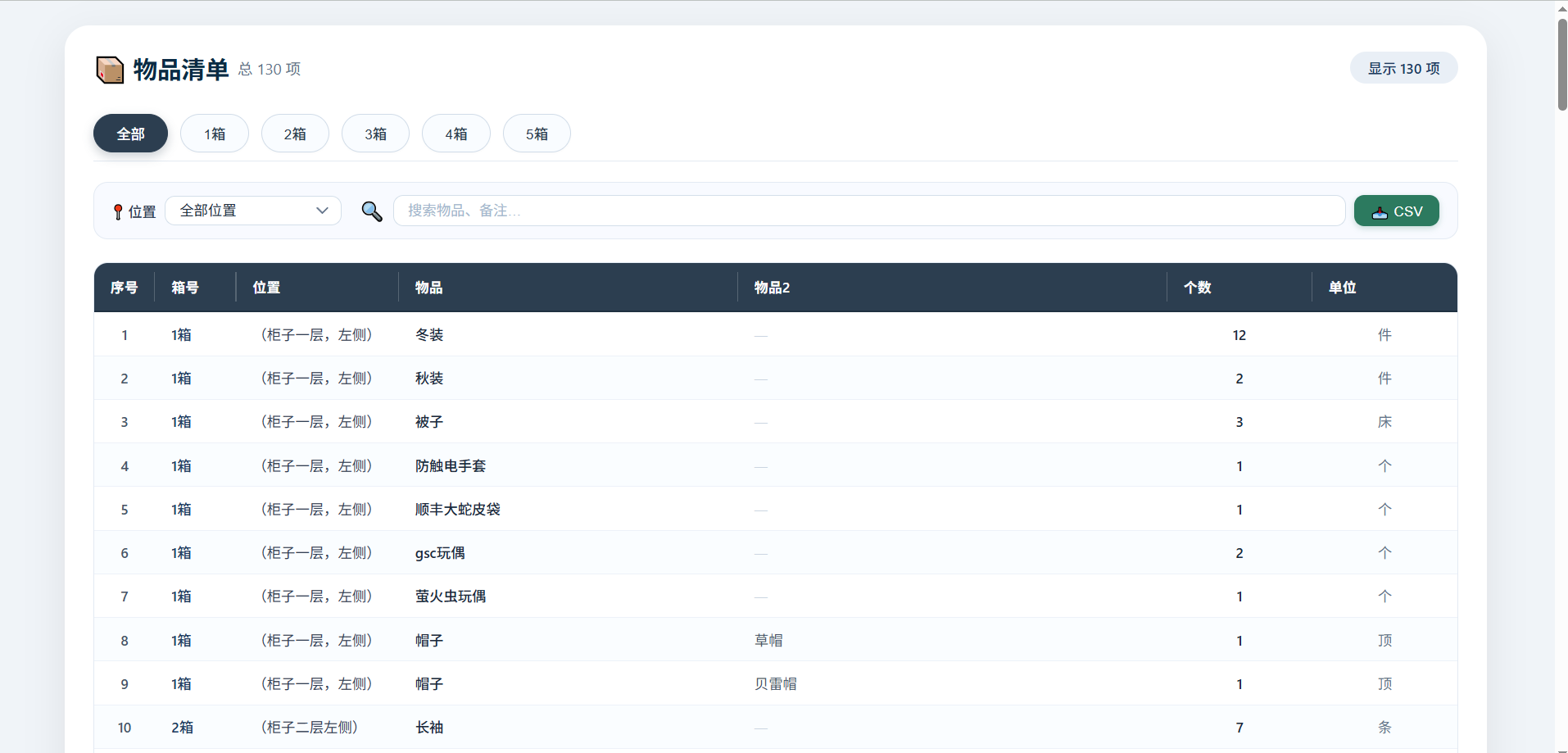
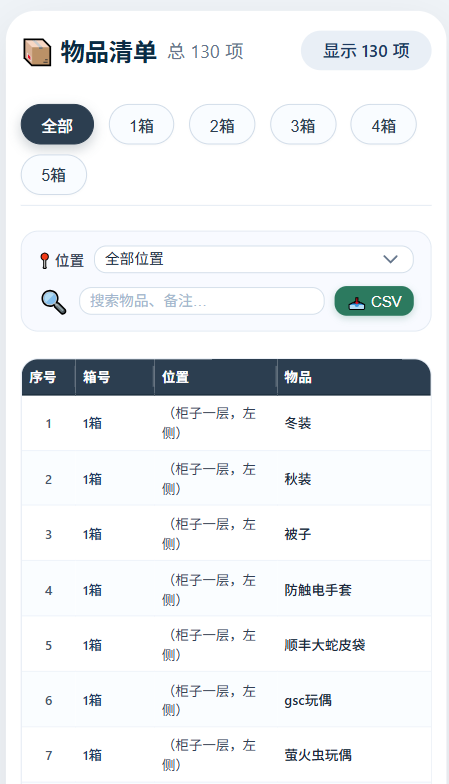
页面展示
桌面端
移动端
物品清单工具核心架构与功能实现
采用 PHP + JSON + 原生 JavaScript 的极简三层结构:
- 数据层:
data.json存储所有物品(数组对象,字段:id, box, location, item, item2, count, unit) - 服务层:
index.php读取 JSON,通过json_encode注入到前端全局变量window.itemsData - 表现层:
style.css+app.js完成界面渲染与全部交互逻辑
核心优势:无数据库,无框架,数据与逻辑分离,增删改只需编辑 data.json。
一、整体架构
1. 数据层(data.json)
[
  { "id": 1, "box": "1箱", "location": "(柜子一层,左侧)", "item": "冬装", "item2": "", "count": 12, "unit": "件" },
  ...
]
2. 服务层(index.php)
<?php
$jsonFile = __DIR__ . '/data.json';
$data = json_decode(file_get_contents($jsonFile), true);
?>
<script>
    window.itemsData = <?php echo json_encode($data, JSON_UNESCAPED_UNICODE); ?>;
</script>
3. 表现层(app.js + style.css)
app.js:分页、筛选、搜索、导出、渲染全部逻辑style.css:深色表头、响应式、交互反馈样式
二、数据注入(PHP → JS)
<script>
    window.itemsData = <?php echo json_encode($data, JSON_UNESCAPED_UNICODE); ?>;
</script>- 避免 AJAX 请求造成的 CORS 问题
- 页面加载完成即可直接使用
window.itemsData - 数据在服务端完成序列化,前端零等待
三、分页机制(按箱号)
核心变量:currentBox(当前选中的箱号,'all' 表示全部)
实现步骤:
- 提取箱号列表
getUniqueValues(allData, 'box'),使用Set去重并按中文排序。 - 渲染导航按钮
生成<button class="page-btn" data-box="...">,默认“全部”激活。 切换逻辑
- 点击按钮 →
setCurrentBox(box) - 更新所有按钮的
.active类 - 重置位置下拉为
'all' - 调用
updateLocationOptions()动态更新位置选项 - 触发
applyFiltersAndRender()重新渲染
- 点击按钮 →
function setCurrentBox(box) {
    currentBox = box;
    document.querySelectorAll('.page-btn').forEach(btn => {
        btn.classList.toggle('active', btn.dataset.box === box);
    });
    filterLocation.value = 'all';
    updateLocationOptions();
}
四、双重筛选(位置 + 搜索)
采用链式过滤,顺序:箱号 → 位置 → 搜索关键词。
function applyFiltersAndRender() {
    let base = allData;
    if (currentBox !== 'all') base = base.filter(d => d.box === currentBox);

    const locVal = filterLocation.value;
    if (locVal !== 'all') base = base.filter(d => d.location === locVal);

    const keyword = searchInput.value.trim().toLowerCase();
    if (keyword) {
        base = base.filter(d => {
            const searchStr = [
                d.box, d.location, d.item, d.item2, d.unit, String(d.count)
            ].join(' ').toLowerCase();
            return searchStr.includes(keyword);
        });
    }

    filteredData = base;
    renderTable(filteredData);
}关键点:
- 位置下拉动态更新:每次切换箱号时,根据当前箱号的数据重新生成位置列表,保证选项不冗余。
- 搜索实时响应:通过
input事件触发过滤。
五、导出 CSV
点击“📥 CSV”按钮执行 exportCsv(),流程如下:
- 数据检查
若filteredData为空则弹窗提示。 构建内容
- 表头:
['序号','箱号','位置','物品','物品2','个数','单位'] - 每行映射为数组,空
item2处理为''
- 表头:
字段转义(处理逗号、双引号、换行)
function escapeCsvField(field) {
    if (field == null) return '';
    const str = String(field);
    if (str.includes(',') || str.includes('"') || str.includes('\n')) {
        return '"' + str.replace(/"/g, '""') + '"';
    }
    return str;
}
生成文件
- 使用
Blob添加 BOM(\uFEFF)确保 Excel 识别 UTF-8 - 动态创建
<a>标签,设置download为物品清单_YYYY-MM-DD.csv - 触发点击下载,释放
URL.createObjectURL
- 使用
const blob = new Blob(['\uFEFF' + csvContent], { type: 'text/csv;charset=utf-8;' });
const link = document.createElement('a');
link.href = URL.createObjectURL(blob);
link.download = `物品清单_${dateStr}.csv`;
link.click();
URL.revokeObjectURL(link.href);
六、表格渲染优化
renderTable(data) 采用一次构建整体 HTML的方式,避免多次 DOM 操作:
let html = '';
for (const d of data) {
    const item2Display = d.item2 ? escapeHtml(d.item2) : `<span class="empty-item2">—</span>`;
    html += `<tr>...</tr>`;
}
tbody.innerHTML = html;- 空状态展示友好提示(📭)。
- 所有文本使用
escapeHtml()防止 XSS。
七、响应式与样式关键点
- 表头固定:
position: sticky; top: 0; z-index: 5;配合深色背景#2c3e50,白色文字。 - 行悬停:
background: #ecf3fa;提升交互反馈。 - 导出按钮:独立绿色
#2c7a5f,区别于其他控件。 - 移动端适配:通过
@media查询在 768px 和 480px 断点调整字体、内边距、按钮尺寸。
八、事件绑定与初始化
事件绑定:
filterLocation.addEventListener('change', applyFiltersAndRender);
searchInput.addEventListener('input', applyFiltersAndRender);
clearSearch.addEventListener('click', () => {
    searchInput.value = '';
    applyFiltersAndRender();
    searchInput.focus();
});
exportBtn.addEventListener('click', exportCsv);初始化流程:
- 设置
totalCountEl.textContent - 渲染分页导航
renderPagination() - 填充位置下拉
updateLocationOptions() - 绑定事件
- 执行首次渲染
applyFiltersAndRender()
总结
整个工具的核心在于 服务端只负责数据注入,所有交互逻辑由原生 JS 完成,通过链式过滤实现多维度筛选,CSV 导出基于 Blob 实现零依赖下载,代码量小且性能良好。
封面


Comments | NOTHING
该文章已经关闭评论